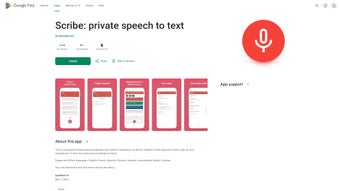

Download Scribe speech to text – Secure Offline AI Transcription for Android & iOS
Introduction
In today’s fast‑paced digital environment, turning spoken words into accurate, searchable text has become a fundamental productivity skill. Whether you are a journalist chasing a breaking interview, a student trying to capture every nuance of a lecture, or a business professional documenting meeting minutes, you need a transcription solution that is fast, reliable, and—most importantly—secure. Scribe speech to text answers that call by offering a mobile‑first, AI‑powered transcription engine that runs entirely offline on your Android or iOS device.
This means you can dictate, record, or import audio without ever sending a single byte to the cloud, protecting sensitive information from potential leaks or compliance violations. The app combines real‑time transcription with powerful post‑processing tools such as timestamp navigation, custom vocabulary, and multi‑format export options. In the sections that follow, we will explore the core capabilities of Scribe, walk through the installation and usage process, examine its strengths and weaknesses, and answer the most common questions users have before deciding to download.
By the end of this review, you will have a clear picture of whether Scribe aligns with your workflow, security requirements, and budget.
Overview and Key Features
Scribe speech to text is an AI‑driven transcription tool built to operate without an internet connection. The application leverages on‑device neural processing units (NPUs) where available, delivering instant speech‑to‑text conversion while keeping every audio sample on the user’s hardware. The design philosophy centers on privacy: no audio, transcript, or metadata is ever uploaded to external servers, and the app’s privacy policy explicitly forbids third‑party data sharing.
Currently supporting English, French, Spanish, and German, Scribe’s language models are continually refined through anonymized user feedback, ensuring that accuracy improves with each update. The interface is clean and intuitive, offering a large microphone button for live dictation, an import function for existing recordings, and a searchable library where transcripts can be edited, bookmarked, and exported as TXT, PDF, or SRT files. Additional features include automatic punctuation, capitalization, custom vocabulary for industry‑specific terminology, and OTA (over‑the‑air) updates that introduce new language packs and performance enhancements.
Why These Features Matter
The offline capability is a game‑changer for professionals working in environments with limited connectivity or strict data‑handling policies, such as legal firms, medical clinics, or field reporters. By eliminating the latency associated with cloud processing, users receive immediate feedback, which is essential when capturing fast‑moving dialogue. Multi‑language support expands the app’s utility across global teams, while the ability to import pre‑recorded media transforms Scribe from a simple dictation tool into a comprehensive transcription workstation.
Timestamped navigation reduces the time spent hunting for specific passages, a benefit for students revisiting lecture segments or journalists pinpointing key quotes. Custom vocabulary ensures that specialized jargon—whether it’s a pharmaceutical term, a legal clause, or a technical acronym—is recognized correctly, dramatically improving accuracy in niche fields. Finally, the diverse export options enable seamless integration with document management systems, video editing suites, or content management platforms, making Scribe a versatile addition to any digital workflow.
Installation, Usage, and Compatibility
Step‑by‑Step Installation
Getting started with Scribe is straightforward on both Android and iOS. For Android users, open the Google Play Store, search for “Scribe speech to text,” and tap Install. The download size is approximately 85 MB, reflecting the bundled AI models required for offline operation. iOS users locate the app in the Apple App Store using the same search term and press Get. After the download finishes, you will be prompted to grant microphone and storage permissions—these are essential for real‑time dictation and importing media files. The onboarding tutorial walks you through selecting your primary language, calibrating microphone sensitivity, and enabling the “offline mode” toggle, which ensures the AI engine never reaches out to the internet unless you explicitly request an update or language pack download.
Real‑Time Transcription Workflow
Launch Scribe and tap the prominent microphone button on the home screen to begin live transcription. Speak naturally into your device’s microphone; the on‑device AI engine processes the audio stream in real time, displaying text line‑by‑line with automatic punctuation and capitalization. Controls at the bottom of the screen let you pause, resume, or stop the session at any point. If the engine misinterprets a word, simply tap the text to edit it; Scribe learns from these corrections, gradually improving its personal accuracy model. For longer recordings, you can add “section markers” that act as bookmarks, allowing you to jump directly to important moments without scrolling through the entire transcript.
Batch Transcription of Existing Media
Scribe’s import feature supports common audio and video formats such as MP3, WAV, MP4, and AAC. From the main menu, select “Import Media,” navigate to the desired file, and confirm the import. The app extracts the audio track and runs it through the same offline model used for live dictation.
A progress bar indicates the transcription status, and you can cancel at any time if needed. Once processing completes, the transcript appears in the “Library” section where you can edit, search, tag, and export the content. Large files (over 500 MB) are automatically split into manageable segments to maintain performance and prevent memory overload on older devices.
Device Compatibility and System Requirements
Scribe is optimized for modern mobile operating systems. Minimum requirements are Android 10 (API level 29) or later, and iOS 13 or later. The app leverages device‑integrated neural processing units (NPUs) when present, providing faster transcription with lower battery consumption. On devices lacking NPUs, Scribe falls back to CPU‑based inference, which remains functional but may exhibit slightly higher latency, especially with longer recordings. While an internet connection is not required for core transcription, occasional network access is necessary to download language packs, receive OTA updates, and verify subscription status for premium features.
Pros, Cons, and Expert Review
Pros
- Fully offline operation guarantees data privacy and works without Wi‑Fi.
- High transcription accuracy for supported languages, with continuous AI improvements.
- Import and batch‑process local audio/video files for flexible workflows.
- Searchable timestamps and editable transcripts simplify post‑processing.
- Multiple export formats (TXT, PDF, SRT) enable easy integration with other tools.
- Custom vocabulary adapts to niche industry terminology.
- Regular OTA updates keep the app current with new features and language packs.
Cons
- Language support is limited to four major languages at launch.
- Initial download size is relatively large due to embedded AI models.
- Performance may be slower on older devices without NPUs.
- No dedicated desktop client; the web version is still in beta.
- Free tier includes ads; premium subscription is required to remove ads and unlock advanced features.
Overall Assessment: Scribe speech to text delivers a compelling blend of privacy‑first design and real‑time accuracy that is rare among mobile transcription apps. Its offline AI engine ensures that sensitive data never leaves the device, addressing a major concern for professionals in legal, medical, and journalistic fields. While the current language roster is modest, the quality of transcription for the supported languages is impressive, especially after recent updates that reduced background‑noise errors.
The user interface is clean and intuitive, and the ability to import existing recordings adds a layer of flexibility not found in many competitors. The primary drawbacks—limited language options and a sizable initial download—are outweighed by the app’s core strengths. For users who need a reliable, secure transcription tool on the go, Scribe is a top choice, particularly with the optional premium plan that removes ads and unlocks custom vocabularies.
Frequently Asked Questions
Is Scribe completely free to use?
Scribe offers a free tier that includes core transcription features but displays unobtrusive ads. A premium subscription removes ads, adds custom vocabulary, and provides priority updates for a modest monthly fee.
Can I use Scribe on a desktop computer?
Currently Scribe is a mobile‑first app for Android and iOS. A web‑based progressive‑web app is under development, which will allow desktop browsers to access the same offline transcription engine.
How does Scribe ensure my data remains private?
All speech processing happens locally on your device. No audio files, transcripts, or metadata are uploaded to external servers, and the app’s privacy policy explicitly states that it does not share user data with third parties.
What file formats can I import for batch transcription?
Scribe supports common audio and video formats, including MP3, WAV, MP4, and AAC. Files larger than 500 MB are processed in segments to maintain performance.
Does Scribe work with external microphones?
Yes. The app is compatible with Bluetooth and wired external microphones. Connecting a high‑quality mic can improve transcription accuracy, especially in noisy environments.
Conclusion & Call to Action
In a world where data privacy and rapid information capture are paramount, Scribe speech to text stands out as a reliable, offline‑first transcription companion. Its blend of real‑time accuracy, multi‑language support, and secure handling of sensitive audio makes it an essential tool for professionals, students, and content creators alike. While there is room for growth—particularly in expanding language options—the current feature set already delivers a high‑value experience that rivals many cloud‑based alternatives. Ready to turn your spoken words into editable text without compromising security? Download Scribe today and start transcribing with confidence.



.png)



